\
**Category:** Help & Support\
**Created:** [July 20, 2021, 11:25am UTC](https://forum.playcanvas.com/t/solved-html-css-css-width-of-range-slider/21154 "2021-07-20T11:25:39Z")\
**Posts on this page:** 20\
**Page:** 1
**Author:**  [@Thomas\_Due\_Nielsen](https://forum.playcanvas.com/u/Thomas_Due_Nielsen)\
**Post date:** [July 20, 2021, 11:25am UTC](https://forum.playcanvas.com/t/solved-html-css-css-width-of-range-slider/21154/1 "2021-07-20T11:25:40Z")
Is PlayCanvas relying on an old CSS-version?
This example does not work for me in relation to Range Slider-styling: [Styling Cross-Browser Compatible Range Inputs with CSS | CSS-Tricks](https://css-tricks.com/styling-cross-browser-compatible-range-inputs-css/)
Only standard Range Sliders seem to work (to be displayed for now with a small width only)
---
**Author:**  [@Leonidas](https://forum.playcanvas.com/u/Leonidas)\
**Post date:** [July 20, 2021, 12:02pm UTC](https://forum.playcanvas.com/t/solved-html-css-css-width-of-range-slider/21154/2 "2021-07-20T12:02:17Z")
> [@Thomas\_Due\_Nielsen](#):
>
> Is PlayCanvas relying on an old CSS-version?
PlayCanvas doesn’t execute CSS, your browser does.
Not sure what is wrong in this case, try sharing a sample project.
---
**Author:**  [@Thomas\_Due\_Nielsen](https://forum.playcanvas.com/u/Thomas_Due_Nielsen)\
**Post date:** [July 20, 2021, 1:00pm UTC](https://forum.playcanvas.com/t/solved-html-css-css-width-of-range-slider/21154/3 "2021-07-20T13:00:31Z")
ok, but can we agree that ‘some things within the HTML is being precompiled’ before the actual render?
(hope this thread isn’t simplifying the details too much - the compiled HTML-output is namely/for instance wrapped into structures like this in order to work like an ordinary HTML-page rendering:
```javascript
// create STYLE element
var style = document.createElement('style');
// append to head
document.head.appendChild(style);
style.innerHTML = this.css.resource || '';
// Add the HTML
this.div = document.createElement('div');
this.div.classList.add('container');
this.div.classList.add('body');
this.div.classList.add('myIframe');
this.div.innerHTML = this.html.resource || '';
// append to body
// can be appended somewhere else
// it is recommended to have some container element
// to prevent iOS problems of overfloating elements off the screen
document.body.appendChild(this.div);
```
)
If we had a pipeline overview diagram (have debatted @yaustar on that matter), it would be easier to rule out if some fallback is taking place CSS-versionwise/anyway ([CSS - Wikipedia](https://en.wikipedia.org/wiki/CSS#Variations))
---
**Author:**  [@Leonidas](https://forum.playcanvas.com/u/Leonidas)\
**Post date:** [July 20, 2021, 1:28pm UTC](https://forum.playcanvas.com/t/solved-html-css-css-width-of-range-slider/21154/4 "2021-07-20T13:28:12Z")
> [@Thomas\_Due\_Nielsen](#):
>
> ok, but can we agree that ‘some things within the HTML is being precompiled’ before the actual render?
What do you mean by that? HTML is being added to the DOM using vanilla Javascript API that you posted above.
There isn’t any PlayCanvas specific call there.
---
**Author:**  [@Thomas\_Due\_Nielsen](https://forum.playcanvas.com/u/Thomas_Due_Nielsen)\
**Post date:** [July 20, 2021, 1:41pm UTC](https://forum.playcanvas.com/t/solved-html-css-css-width-of-range-slider/21154/5 "2021-07-20T13:41:44Z")
> [@Thomas\_Due\_Nielsen](#):
>
> ```javascript
> // create STYLE element
> var style = document.createElement('style');
> // append to head
> document.head.appendChild(style);
> style.innerHTML = this.css.resource || '';
>
> // Add the HTML
> this.div = document.createElement('div');
> this.div.classList.add('container');
> this.div.classList.add('body');
> this.div.classList.add('myIframe');
>
> this.div.innerHTML = this.html.resource || '';
>
> // append to body
> // can be appended somewhere else
> // it is recommended to have some container element
> // to prevent iOS problems of overfloating elements off the screen
> document.body.appendChild(this.div);
>
> ```
once a project is published/exported, one cannot alter the Vanilla JS above in a separate script/file → as such ‘the project is undergoing some sort of transformation’ from editor to a functional webpage (I really don’t care if I am totally wrong here → again; if pipeline diagrams were available it would help me, but properly also many others … in other words; everytime I test, the ‘PlayCanvas’ logo still prompts/the engine executes the entire project-scene, and once in browserstate, the Vanilla-script above is not visible in devtools {?} 🙂 )
---
**Author:**  [@Thomas\_Due\_Nielsen](https://forum.playcanvas.com/u/Thomas_Due_Nielsen)\
**Post date:** [July 20, 2021, 1:42pm UTC](https://forum.playcanvas.com/t/solved-html-css-css-width-of-range-slider/21154/6 "2021-07-20T13:42:42Z")
anyways - I did find another solution to my problem
---
**Author:**  [@Leonidas](https://forum.playcanvas.com/u/Leonidas)\
**Post date:** [July 20, 2021, 1:43pm UTC](https://forum.playcanvas.com/t/solved-html-css-css-width-of-range-slider/21154/7 "2021-07-20T13:43:29Z")
If you would like to keep altering your Javascript script assets after you publish a build, then you can deselect “Concatenate Scripts” in the publish new build dialog.
Your JS scripts will remain separate script assets which you can find in the `assets` folder of your downloaded zip bundle.

---
**Author:**  [@Thomas\_Due\_Nielsen](https://forum.playcanvas.com/u/Thomas_Due_Nielsen)\
**Post date:** [July 21, 2021, 10:21pm UTC](https://forum.playcanvas.com/t/solved-html-css-css-width-of-range-slider/21154/8 "2021-07-21T22:21:26Z")
Yet again - while returning on the matter of CSS-versions. I have stumbled upon this example:
[https://css-tricks.com/manipulating-pixels-using-canvas/](https://css-tricks.com/manipulating-pixels-using-canvas/)
I wonder if I should try and merge it into a PlayCanvas project (?)
Regarding the canvas part, I have not had the best experiences with fitting that in PC already.
Furthermore; this is what is happening when copying the SCSS (Sass-CSS: [Sass (stylesheet language) - Wikipedia](https://en.wikipedia.org/wiki/Sass_(stylesheet_language)) … [GitHub - sass/sass: Sass makes CSS fun!](https://github.com/sass/sass)) into our code editor …

Obviously it would be a wild shot, if all such libraries functioned within PC. On the other hand, as I have experienced some trouble with image-manipulation within PHP, the Sass-approach above would be quite helpful … so what does your gut feeling say? Should I try and push it for the devs? (or let is pass, due to norms/strategies/habits on their side)
---
**Author:**  [@Leonidas](https://forum.playcanvas.com/u/Leonidas)\
**Post date:** [July 22, 2021, 7:00am UTC](https://forum.playcanvas.com/t/solved-html-css-css-width-of-range-slider/21154/9 "2021-07-22T07:00:33Z")
> [@Thomas\_Due\_Nielsen](#):
>
> Furthermore; this is what is happening when copying the SCSS (Sass-CSS: [Sass (stylesheet language) - Wikipedia](https://en.wikipedia.org/wiki/Sass_(stylesheet_language)) … [GitHub - sass/sass: Sass makes CSS fun!](https://github.com/sass/sass)) into our code editor …
No browser supports SCSS, and as such the PlayCanvas code editor doesn’t support it. You will have to compile your SCSS to CSS yourself before using it in the browser.
---
**Author:**  [@Leonidas](https://forum.playcanvas.com/u/Leonidas)\
**Post date:** [July 22, 2021, 7:02am UTC](https://forum.playcanvas.com/t/solved-html-css-css-width-of-range-slider/21154/10 "2021-07-22T07:02:50Z")
> [@Thomas\_Due\_Nielsen](#):
>
> Should I try and push it for the devs? (or let is pass, due to norms/strategies/habits on their side)
You can add a feature request in the PlayCanvas editor repo, a SCSS precompiler. Much like people ask from time to time for TS support in editor.
SCSS can be useful.
---
**Author:**  [@Thomas\_Due\_Nielsen](https://forum.playcanvas.com/u/Thomas_Due_Nielsen)\
**Post date:** [July 22, 2021, 7:15am UTC](https://forum.playcanvas.com/t/solved-html-css-css-width-of-range-slider/21154/11 "2021-07-22T07:15:31Z")
hmm … ok, nice to know about SCSS - they (who post such examples) must ‘live in their own world’ (al though the example page did seem to execute some of the content)
While I have you (sort of online … your attention, and in regards to Vanilla script 🙂 )
I suppose this example will work: [Change Image Color | Vanilla Javascript - YouTube](https://www.youtube.com/watch?v=RoXHjac0vX0)
- and from there I am looking for saving the color changed image on server (any ideas, if my PHP fails?)
---
**Author:**  [@Leonidas](https://forum.playcanvas.com/u/Leonidas)\
**Post date:** [July 22, 2021, 7:22am UTC](https://forum.playcanvas.com/t/solved-html-css-css-width-of-range-slider/21154/12 "2021-07-22T07:22:58Z")
> [@Thomas\_Due\_Nielsen](#):
>
> hmm … ok, nice to know about SCSS - they (who post such examples) must ‘live in their own world’ (al though the example page did seem to execute some of the content)
I don’t know about them, but most likely it’s not they live their own world, they will have implemented a SCSS preprocessor in place.
> [@Thomas\_Due\_Nielsen](#):
>
> While I have you (sort of online … your attention, and in regards to Vanilla script 🙂 )
> I suppose this example will work: [Change Image Color | Vanilla Javascript - YouTube](https://www.youtube.com/watch?v=RoXHjac0vX0)
>
> - and from there I am looking for saving the color changed image on server (any ideas, if my PHP fails?)
If it works in the browser, it will work in PlayCanvas. PlayCanvas doesn’t mess at all with HTML/CSS elements. So yes, it will work.
But if you have trouble, I would first suggest some DOM manipulation tutorials so you get some experience on how Javascript can be used in that context. Later on you will feel much more comfortable implementing those kind of code examples, either on PlayCanvas or in the browser directly (even in the browser console).
---
**Author:**  [@Thomas\_Due\_Nielsen](https://forum.playcanvas.com/u/Thomas_Due_Nielsen)\
**Post date:** [July 22, 2021, 7:42am UTC](https://forum.playcanvas.com/t/solved-html-css-css-width-of-range-slider/21154/13 "2021-07-22T07:42:18Z")
ok, great and thanks for the ‘path/approach’ … final thing (in case you have the time/skimmed the save-image part)
→ if you remember the Screen capture tutorial: [Capturing a screenshot | Learn PlayCanvas](https://developer.playcanvas.com/en/tutorials/capturing-a-screenshot/)
Can I use that effect to save serverside? {I have been across this issue, but a little desperate in relation to a current project}
[All in all: my goal is to let people upload a photo to be used in the project; where HTML-layer is ok, it is best for me with used-as-texture (upon 3d environment objects - the backlayer content)]
---
**Author:**  [@Leonidas](https://forum.playcanvas.com/u/Leonidas)\
**Post date:** [July 22, 2021, 7:48am UTC](https://forum.playcanvas.com/t/solved-html-css-css-width-of-range-slider/21154/14 "2021-07-22T07:48:24Z")
> [@Thomas\_Due\_Nielsen](#):
>
> → if you remember the Screen capture tutorial: [Capturing a screenshot | Learn PlayCanvas](https://developer.playcanvas.com/en/tutorials/capturing-a-screenshot/)
> Can I use that effect to save serverside? {I have been across this issue, but a little desperate in relation to a current project}
Yes you can, as you’ve guessed this isn’t PlayCanvas related. You will need to use a Rest call to your PHP or other kind of server to save the file.
Do a search on the subject and you will find a lot of material to get started on this, useful search terms:
“how to save a base64 image to server”
“how to save a canvas image to server”
---
**Author:**  [@yaustar](https://forum.playcanvas.com/u/yaustar)\
**Post date:** [July 22, 2021, 8:55am UTC](https://forum.playcanvas.com/t/solved-html-css-css-width-of-range-slider/21154/15 "2021-07-22T08:55:44Z")
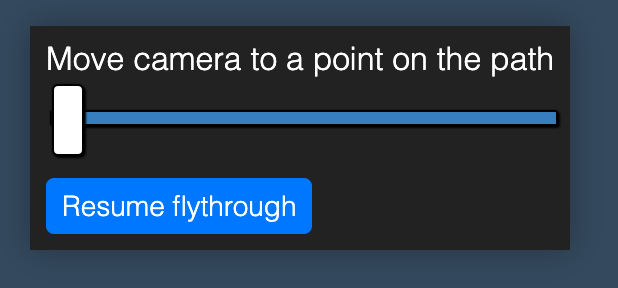
Just checked the slider CSS that you linked to.
Pretty much copied and pasted it and it works fine: [https://playcanvas.com/editor/scene/1198535](https://playcanvas.com/editor/scene/1198535)
As Leonidas mentioned, PlayCanvas is not responsible for HTML/CSS rendering. It doesn’t do any processing on HTML or CSS code during builds or in the launch tab.
---
**Author:**  [@Thomas\_Due\_Nielsen](https://forum.playcanvas.com/u/Thomas_Due_Nielsen)\
**Post date:** [July 22, 2021, 9:07am UTC](https://forum.playcanvas.com/t/solved-html-css-css-width-of-range-slider/21154/16 "2021-07-22T09:07:50Z")
ok, now it is - for sure - [SOLVED] 🙂
{had lines of ‘.container \>’ in front … maybe that was the err}
yet in regards to ‘top layer rendering’, the community points to solutions with ‘HTML/CSS’ above as an ‘expanded and useful approach’ (but I know; greyzone 🙂 )
---
**Author:**  [@yaustar](https://forum.playcanvas.com/u/yaustar)\
**Post date:** [July 22, 2021, 9:10am UTC](https://forum.playcanvas.com/t/solved-html-css-css-width-of-range-slider/21154/17 "2021-07-22T09:10:00Z")
> [@Thomas\_Due\_Nielsen](#):
>
> yet in regards to ‘top layer rendering’, the community points to solutions with ‘HTML/CSS’ above as an ‘expanded and useful approach’ (but I know; greyzone 🙂 )
I have no idea what you mean here. What are you trying to do? Capture a screenshot with the HTML DOM as well?
---
**Author:**  [@Thomas\_Due\_Nielsen](https://forum.playcanvas.com/u/Thomas_Due_Nielsen)\
**Post date:** [July 22, 2021, 9:20am UTC](https://forum.playcanvas.com/t/solved-html-css-css-width-of-range-slider/21154/18 "2021-07-22T09:20:39Z")
> [@Thomas\_Due\_Nielsen](#):
>
> yet in regards to ‘top layer rendering’, the community points to solutions with ‘HTML/CSS’ above as an ‘expanded and useful approach’ (but I know; greyzone 🙂 )
> >
yet in regards to handling the total web solution ( a. 3D content as background and b. HTML/CSS as a top layer within the total render layers), the PlayCanvas community (including its tutorials) points to solutions with a ‘HTML/CSS’-layer at the top layer. As the layers can communicate, I consider it an ‘expanded and useful approach’ (still, The PlayCanvas admins + community does not have any responsibility for the ‘HTML/CSS’-tutorialsolutions etc → I guess the emphasis is on the lower layers; greyzone 🙂 )
---
**Author:**  [@yaustar](https://forum.playcanvas.com/u/yaustar)\
**Post date:** [July 22, 2021, 9:25am UTC](https://forum.playcanvas.com/t/solved-html-css-css-width-of-range-slider/21154/19 "2021-07-22T09:25:29Z")
I still don’t fully understand.
Some of the older tutorials use HTML/CSS for the UI (which is a valid solution as it gives the developers and user a lot of features from the browser DOM and allows them to use React, Vue etc).
Since then, PlayCanvas has it’s own UI system implemented which can be used instead/as well that renders in the WebGL context: [User Interface | Learn PlayCanvas](https://developer.playcanvas.com/en/user-manual/user-interface/)
You can use either or both depending on needs and requirements.
The forums/tutorials generally don’t provide support for HTML/CSS as quite frankly, that is better served elsewhere (Stack overflow, etc)
---
**Author:**  [@Thomas\_Due\_Nielsen](https://forum.playcanvas.com/u/Thomas_Due_Nielsen)\
**Post date:** [July 22, 2021, 10:05am UTC](https://forum.playcanvas.com/t/solved-html-css-css-width-of-range-slider/21154/20 "2021-07-22T10:05:36Z")
I consider the [User Manual | Learn PlayCanvas](https://developer.playcanvas.com/en/user-manual/) (+ [User Interface | Learn PlayCanvas](https://developer.playcanvas.com/en/user-manual/user-interface/) below it) quite ok, but if PlayCanvas’ main introductory and more complex info-pages, should be enhanced/optimized … become improved, _diagrams_ could be used, to explain all (or close to all) the possible ‘external contact surfaces’ (PHP and MySQL can f.i. communicate … plus React, Vue etc (as mentioned)).
I acknowledge this from user-interface: “For some use cases using the HTML, CSS and the browser DOM are a good fit for your user interface.
The primary downside of using the DOM is performance. …”
But even though PlayCanvas has main emphasis on ‘games and 60+ fps’, my current projects lay within [Configurators | PlayCanvas](https://playcanvas.com/industries/configurators) and the like, where 30 fps seems adequate.
For the moment I work on a video-project, where the ‘30 fps-MPEG’ standard is adequate.
Here are some pipeline-examples from Unity and OpenGL (for diagram inspiration):
> **[Setting up the Rendering Pipeline and Lighting in Unity - Unity Manual](https://docs.unity3d.com/es/2019.4/Manual/BestPracticeLightingPipelines.html)**
>
> This guide is an updated version of the following Unity blog post: Spotlight Team Best Practices: Setting up the Lighting Pipeline - Pierre Yves Donzallaz.
> **[Figure 1. The graphics pipeline in OpenGL consists of these 5 steps, in...](https://www.researchgate.net/figure/The-graphics-pipeline-in-OpenGL-consists-of-these-5-steps-in-the-new-generation-of-cards_fig1_235696712)**
>
> Download scientific diagram | The graphics pipeline in OpenGL consists of these 5 steps, in the new generation of cards three of them, the vertex processor, the geometry processor and the fragment processor are programmable. On the card used for this...
Could be fun to create such diagrams myself (or at least try and/or start to), but as I am sitting with my own projects (+ not being on the PC payroll ;-p ), I cant find the time for it … all I am saying @yauStar; we talked about this before, and in case you agree that some members (me included) could benefit (plus; it could save you from some explanations for other forum low+medium-level users), such diagrams could refine the - already good - knowledge sources 🙂
Again; if you dont have the time yauStar, ‘we’ should/could be able to make it challenge, for one of the better ‘non-admins/non-devs’ (I guess @Leonidas don’t have time, but maybe challenge one/some at that level).
" … HTML/CSS … better served elsewhere (Stack overflow, etc)" → I totally understand, but how can newcomers to the forum get that information + grasp those admin-strategies/owner’s visions? … maybe on a minor ‘PC-Atlas’ (with some good diagrams below)
[Next page](https://forum.playcanvas.com/t/solved-html-css-css-width-of-range-slider/21154.md?page=2)